
Purchase tests
MOXO assessments can be purchased directly through your account in one of two ways.
Option 1: From the Purchases page
- Click Purchases
in the left-hand menu, or navigate directly to: https://app.moxo-adhdtest.com/v2/subscriptions
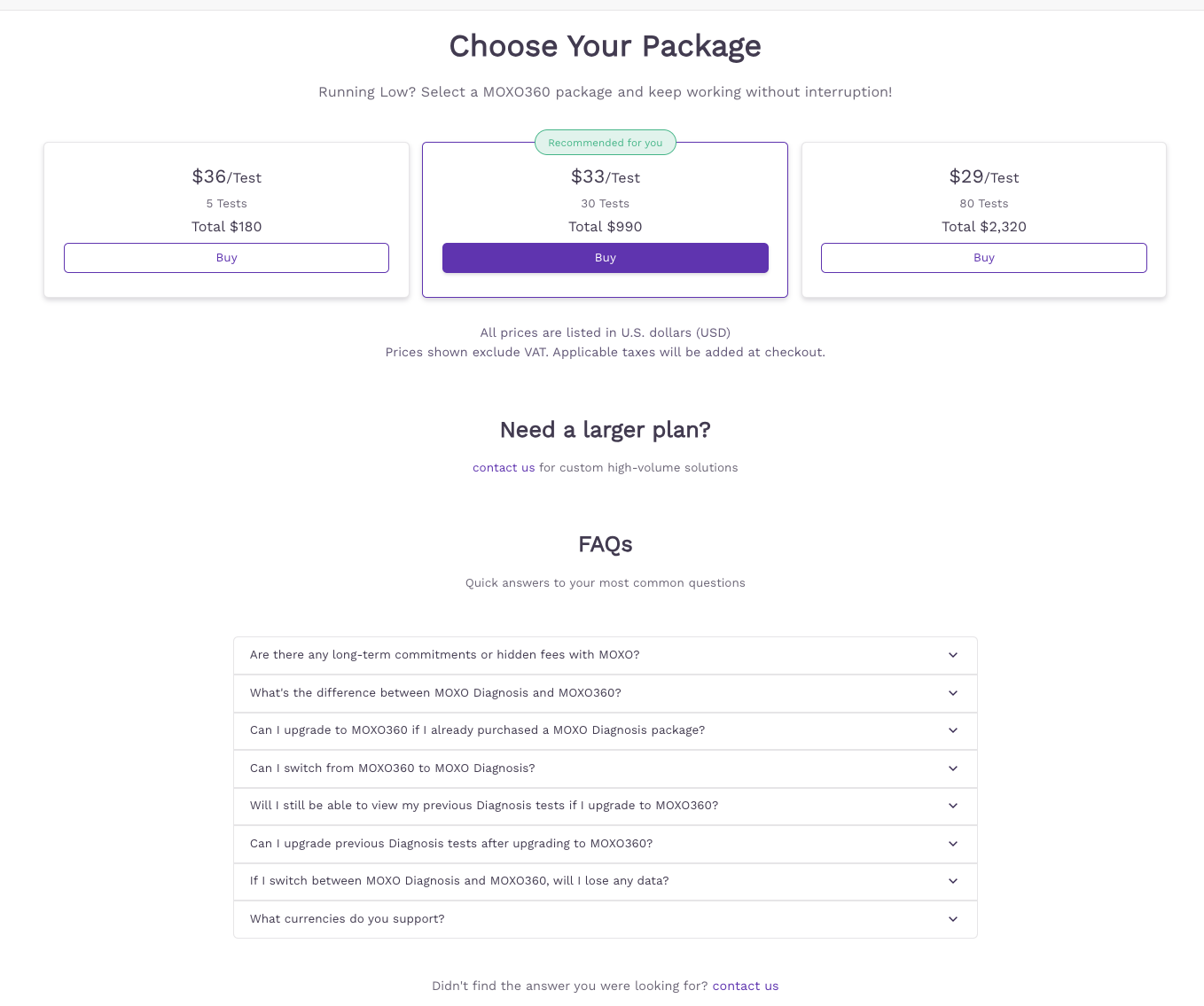
- On the Choose Your Plan screen, select the MOXO360 package that best suits your needs.
- Click Buy and complete the checkout.
You can pay in U.S. dollars (USD), euros (EUR), or British pounds (GBP). Prices shown exclude VAT; applicable taxes are added at checkout. If you run into any issue with payment, or need a larger plan, please contact us.
Have questions? Scroll down to the FAQs section at the bottom of the purchase page for quick answers.
Option 2: From My Profile
- Click My Profile in the left-hand menu and go to Plans & Billing.
- Here you can view your current plan and test usage. Click Purchase to buy more tests.
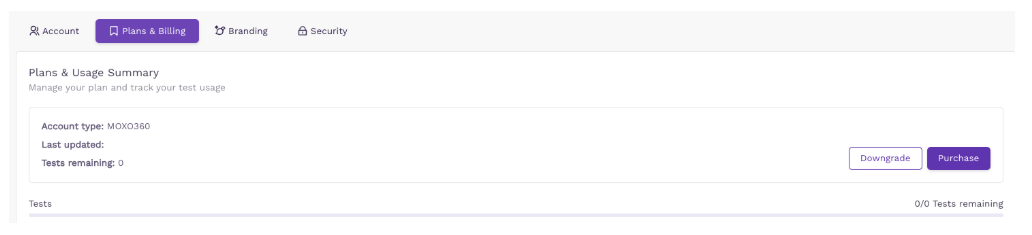
Note: Before purchasing, make sure your billing entity name and Tax ID are up to date. You can update them under My Profile > Plans & Billing.